SpeedTop VPN: Fast & Secure
- 4.3
- Rating
- 10.00M
- Installs
- Free
- Price

 Analysis by App-foxy
I spent time using SpeedTop VPN: Fast & Secure as a practical privacy tool rather than treating it like a simple button that magically improves every connection. It is a free VPN app from SOON BODYWERKZ, listed in the Tools category, and its main appeal is straightforward: it aims to keep a connection usable when the network is unreliable while adding a layer of privacy between your device and the sites or services you visit.
That combination matters most in ordinary situations. I am thinking about checking messages on public Wi-Fi, opening a work page from a hotel, or trying to browse when mobile reception is inconsistent. SpeedTop VPN is designed for people who want a quick way to start a VPN session without turning network settings into a technical project. The app is rated for Everyone, works on Android 7.0 and later, and the current version is 1.1.6.
Its popularity also gives it a certain practical credibility: the app has passed ten million installs and holds an average rating of 4.1 from around eighty-seven thousand ratings. Those figures do not prove that every connection will be fast or that every user will like the experience, but they do suggest that SpeedTop VPN has found a broad audience among people looking for a simple mobile VPN.
You May Also Like

 Blood Strike: 2.5 Anniversary
Blood Strike’s Loadouts Turn Every Drop Into a Tactical Gamble
A close look at Blood Strike’s custom loadouts: how fast access to signature weapons reshapes its battle royale rhythm, rewards preparation, and narrows the gap between fights.

 Pandora - Music & Podcasts
Pandora’s Music Is Easy to Start, but Harder to Recover
Pandora’s strength is its low-effort path from a seed to a station. Its weak spot is how much confidence it asks you to place in connection, setup, and quiet recovery.

 8 Ball Pool
 Is Built on Rivalries, Rematches, and Routine
A close look at the rivalries, rematches, shared routines, and unanswered safety questions that turn a quick pool match into a persistent mobile community.

 Samsung Music
’s Quiet Strength Is Playing What You Already Own
Its reach comes less from spectacle than from dependable access to a personal library. That simplicity is both the app’s strongest retention engine and its ceiling.

 AccuWeather: Weather Radar
AccuWeather Review: A Quick, Clear Forecast for Everyday Decisions
For everyday plans, the best forecast is the one you can understand quickly. AccuWeather makes rain timing, radar, and local conditions easy to act on, with a few trade-offs.

 Hill Climb Racing
Why Hill Climb Racing Still Turns Crashes Into One More Run
A tiny car, a bumpy hill and one more upgrade: Hill Climb Racing keeps resurfacing because its simple chaos makes every near-miss feel personal.
More From Our News Desk



What SpeedTop VPN is like in everyday use
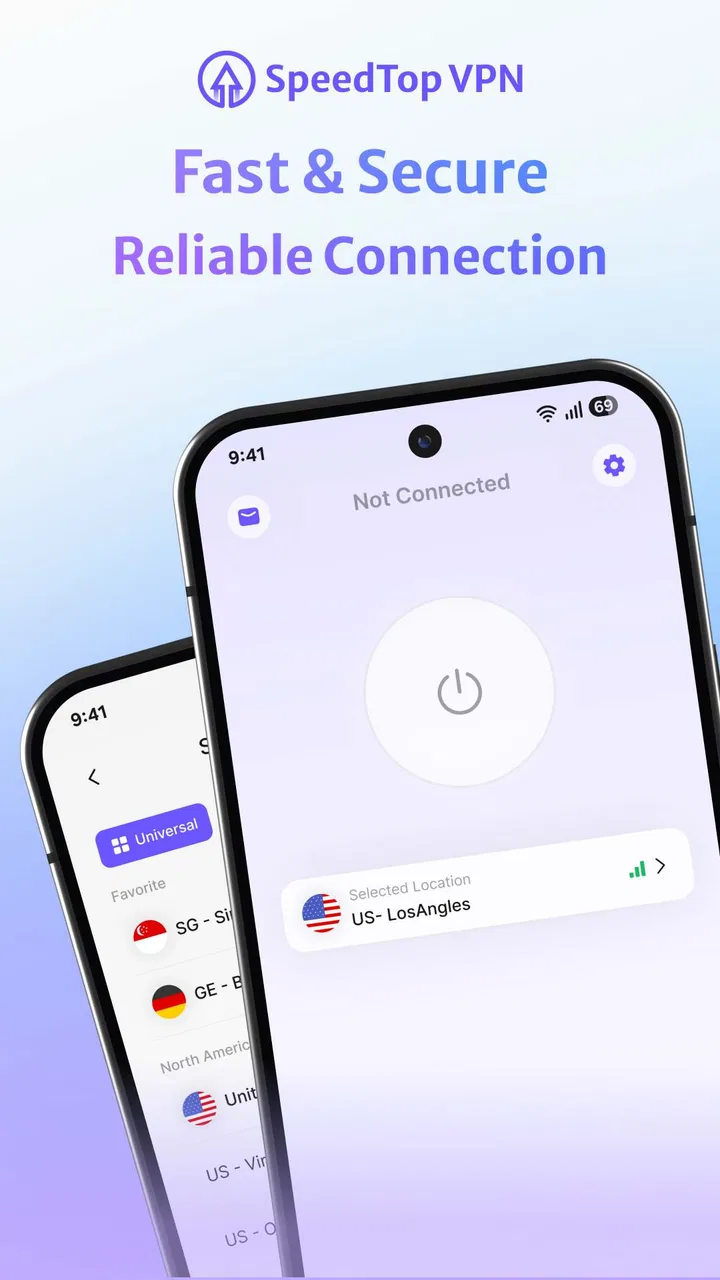
The first thing I noticed is that the app’s purpose is easy to understand. You do not need to learn about routing, tunneling, or network protocols before trying it. The basic workflow is the kind of process most phone owners expect from a lightweight utility: open the app, begin a VPN connection, and return to browsing or using another application.
That simplicity is valuable on a phone because VPNs are often used at inconvenient moments. If I am connected to a café network and want extra privacy before signing in to an account, I do not want to spend several minutes adjusting advanced settings. SpeedTop VPN is aimed at that quick decision: connect when the network feels questionable, then disconnect when the situation no longer calls for it.
The app’s focus on weak networks is also more specific than the usual promise of “secure browsing.” A VPN cannot repair a damaged antenna, create coverage where there is none, or make a congested network behave like fiber broadband. What it can do is provide a different route for traffic, and that may be useful when a particular network path is unstable. I would treat the weak-network claim as a reason to test the app in your own locations, not as a guarantee of faster performance everywhere.
In my experience, the most sensible way to judge it is by consistency rather than by a single impressive connection. I would try it on the same Wi-Fi network at different times, compare ordinary browsing with browsing through the VPN, and pay attention to whether pages load reliably enough for the tasks I actually perform. A connection that feels slightly slower but remains usable can be more valuable than one brief speed burst followed by interruptions.
Where the free price changes the decision
SpeedTop VPN is free, so the value question is uncomplicated at the starting line: you can try the app without paying for access. That makes it easier to evaluate on your own phone and network instead of committing to a subscription based only on a store description. For occasional privacy use, free access may be enough to make the app worthwhile.
Free does not automatically mean complete or ideal. VPN services can differ in server availability, connection behavior, privacy controls, advertisements, and usage limits. I would not assume that a free app offers the same depth of choice or transparency as a paid service simply because both display a connect button. The right approach is to use SpeedTop VPN for the tasks it handles well and avoid treating it as a replacement for careful online habits.
For someone who only wants a temporary connection on public Wi-Fi, the absence of an upfront price is a real advantage. A person who needs a VPN throughout the day, depends on a specific location, or expects detailed control may find that a dedicated paid alternative offers better value even when SpeedTop VPN is easier to start with. The trade-off is not merely free versus expensive; it is convenience and accessibility versus the level of control and service assurance you may need.
Privacy expectations need a careful reading
The app presents itself as a privacy-focused tool, and that is a useful purpose, but a VPN should not be confused with total anonymity. It can help separate your traffic from the local network you are using, yet websites can still recognize accounts, cookies, browser settings, and other signals. I would still use strong passwords, multi-factor authentication, and caution around suspicious pages after connecting.
I also would not use the VPN as permission to handle sensitive information carelessly. When I am on an unfamiliar network, I prefer to connect before opening accounts, avoid installing unknown files, and disconnect when I am finished. That workflow reduces the chance of leaving a VPN active unnecessarily and keeps the app in its proper role: one part of a broader privacy routine.
Another practical point is trust. A VPN becomes part of the path your traffic takes, so choosing one should involve more than looking at the word “secure.” SpeedTop VPN may be attractive because it is simple and free, but users who need extensive documentation, specialized privacy controls, or a long-established service history should compare it with providers built around those priorities. I would recommend checking the app’s current disclosures and behavior on your device before using it for highly sensitive work.
Three useful ways to test it properly
My first tip is to test before you need it. Install the app while you have a stable connection, open it, and make sure you understand how to start and stop a session. Then try it on the weak network that motivated you to install it. This avoids discovering the setup process for the first time while you are already trying to reach an important page.
My second tip is to separate browsing problems from VPN problems. If a page fails only after the connection begins, try another site and another app before deciding that the whole service is unreliable. If everything is slow even without the VPN, the issue is probably the network itself. This simple comparison prevents a common mistake: blaming the VPN for a poor signal that was already present.
My third tip is to use it selectively. A VPN connection can be useful for public networks, travel, and occasional privacy checks, but leaving any network utility running continuously may not suit every person’s battery, speed, or app-compatibility preferences. I would connect for a clear reason, complete the task, and then review the status before moving on.
A fourth practical habit is to check important services after connecting. Some banking, streaming, shopping, or workplace systems may react differently when traffic comes through a VPN. If a service asks for extra verification or behaves strangely, disconnecting and trying the task through the ordinary connection can help identify whether the VPN route is involved. That does not mean the app is defective; it reflects the way some services handle unusual network locations.
How it compares with ordinary alternatives
The most obvious alternative is using no VPN at all. That option is faster and simpler when you are on a trusted home network and do not need an extra privacy layer. SpeedTop VPN earns its place when the network is public, unfamiliar, or unreliable enough that I want another step between the local connection and my browsing activity.
Another alternative is the VPN feature built into a browser or security suite. Those tools can be convenient because they may already be part of an application you use every day. However, a standalone utility is easier to think about as a device-level connection rather than a browser-only feature. If your goal is to cover more than one browsing session, SpeedTop VPN may be the more direct tool, provided its behavior matches your needs.
Paid VPN services are the stronger comparison for demanding users. They may be preferable when you need a particular region, more detailed connection choices, clearer support, or a service designed for frequent use. SpeedTop VPN makes more sense for someone who values a free entry point and a straightforward workflow. I would not choose it solely because it claims speed; I would choose it if its actual connection behavior is dependable on the networks I use.
Who is likely to get the most value?
I think the best match is an Android user who wants a low-friction privacy tool for occasional situations. That includes students using campus networks, travelers connecting in hotels or airports, and anyone who regularly works from cafés or shared spaces. The Everyone age rating also makes it approachable for a broad household audience, although younger users should still understand that a VPN does not make every website safe.
It can also help someone who is frustrated by a weak connection but does not want to learn technical networking. The useful question is not “Will this always increase my speed?” but “Does this give me a more usable route on the networks where I struggle?” If the answer is yes after testing, the free app can become a handy part of a travel or public-Wi-Fi routine.
I would be less enthusiastic for a professional who needs a VPN as a central part of daily operations. Remote workers handling confidential company material, users who require a fixed location, and people who want extensive configuration should examine more specialized options. SpeedTop VPN’s appeal is its accessible, general-purpose nature; that same simplicity may feel limiting when requirements become specific.
It is also not the right choice for someone expecting a VPN to bypass every regional restriction or solve all connectivity problems. Results can vary by network, destination, and service. If your main goal is a particular streaming catalog, a stable gaming route, or a carefully managed business connection, you should compare services designed around that exact use case rather than relying on a general free tool.
My final recommendation
After using SpeedTop VPN as an everyday utility, I see it as a reasonable first step for people who want free VPN access without a complicated learning curve. Its strongest value is practical: it gives Android users a simple way to try a VPN during public-network sessions or when a connection feels unreliable, and it supports older devices beginning with Android 7.0.
The limitations are just as important. A free VPN should not be treated as automatically equivalent to a premium privacy service, and the promise of working on weak networks still needs to be judged on your own connection. Users who need advanced controls, predictable location selection, or intensive professional support may be better served elsewhere.
My verdict is to try it if your needs are occasional, your budget is zero, and you are willing to evaluate the connection rather than accept broad claims without testing. Start with low-risk browsing, compare the same network with and without the VPN, and keep your normal security habits in place. For casual privacy on Android, SpeedTop VPN offers enough practical value to deserve a trial, but demanding users should choose based on control and trust requirements rather than the free price alone.
With SOON BODYWERKZ behind the app and a sizable existing user base, it is an easy utility to consider when you want a quick experiment instead of an immediate paid commitment. I would recommend it to a friend who needs a simple public-Wi-Fi safeguard, while being clear that it is not a universal answer to slow internet, anonymity, or specialized VPN needs.
FAQs for SpeedTop VPN: Fast & Secure
01What makes SpeedTop VPN stand out from other VPN services?
SpeedTop VPN distinguishes itself with its lightning-fast connection speeds and robust security features. Unlike many VPNs that may slow down your internet, SpeedTop uses advanced technology to maintain high-speed browsing. Additionally, it offers military-grade encryption to protect your data, making it a top choice for both speed and security.
02Is SpeedTop VPN compatible with all devices and operating systems?
Yes, SpeedTop VPN is designed to be compatible with a wide range of devices and operating systems, including Android, iOS, Windows, and macOS. This ensures that you can protect your internet activity across all your devices with a single subscription, providing flexibility and convenience.
03How does SpeedTop VPN ensure user privacy and data security?
SpeedTop VPN employs AES-256 encryption, one of the most secure encryption standards available. This ensures that your data remains private and protected from potential cyber threats. Additionally, SpeedTop has a strict no-logs policy, meaning they do not track or store any of your online activities, further enhancing your privacy.
04What customer support options are available if I encounter issues with SpeedTop VPN?
SpeedTop VPN offers 24/7 customer support to assist users with any issues or questions. Support is available via live chat and email, ensuring that help is readily accessible whenever you need it. Their responsive support team is dedicated to resolving issues promptly and effectively.
05Does SpeedTop VPN offer a free trial or money-back guarantee?
Yes, SpeedTop VPN offers a 7-day free trial so users can test its features and performance without any commitment. Additionally, they provide a 30-day money-back guarantee, allowing you to try the service risk-free. If you’re not satisfied, you can request a full refund within this period.
Pros
- Fast connection speeds for streaming.
- User-friendly interface enhances usability.
- Wide range of server locations available.
- Strong encryption ensures data security.
- Supports multiple devices simultaneously.
Cons
- Limited free version features.
- Occasional connection drops.
- No built-in ad blocker.
- Can affect battery life quickly.
- Subscription can be pricey.

SpeedTop VPN: Fast & Secure
Gallery